
Bend Rush Launcher APK Download for Android ( v1.0.1)

- Android 8.0 +
- Version: 1.0.1
- 74.8 MB
Personalization
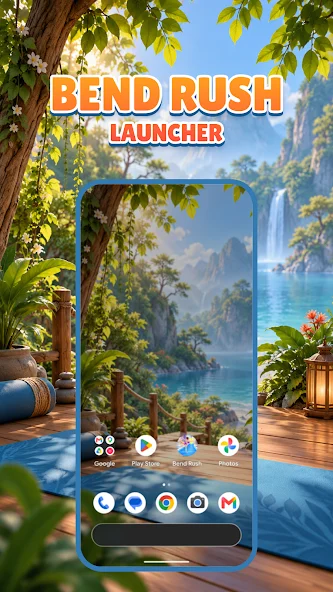
Download Bend Rush Launcher APK for Android to replace your home screen with a game-inspired interface. It offers wallpapers and themes, plus a home screen icon for opening the Bend Rush game.
When you set it as your default home app, the launcher changes your home screen and app arrangement. You can return to another launcher through your device settings.
Make your home screen your own with Bend Rush Launcher
Bend Rush Launcher combines home screen personalization with a game you can open from the launcher.
- Choose a game-inspired background from Launcher Wallpapers. Long-press an empty area of the home screen to open the Pop-Up Menu, then browse and select a wallpaper.
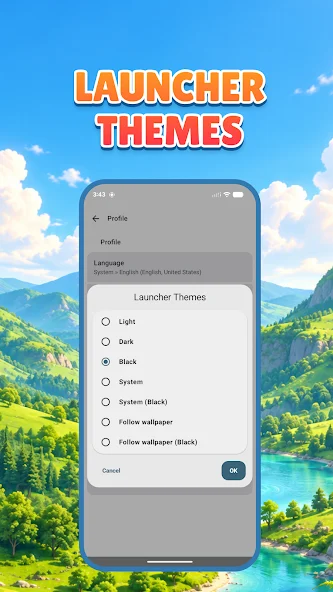
- Change the launcher’s appearance through Launcher Themes in the same Pop-Up Menu.
- Open Bend Rush from its game icon on the launcher home screen. Bend and balance past gym obstacles, collect diamonds, earn gear and unlock bonus levels.
- Switch back to another launcher in your device settings by choosing a different default home app. The setting’s name and location can vary by device.
Getting Bend Rush Launcher APK on your phone
- Open the Bend Rush Launcher page on APKSprint, scroll to its download section and select the APK download button to open the site’s download page.
- Wait for the download link to be prepared, then select the download button that appears.
- If Android requests installation permission, allow the app opening the file to install apps from that source.
- Open your phone’s Downloads folder and select the Bend Rush Launcher APK file you downloaded.
- Follow the installation prompts on your phone until installation finishes.
- Open Bend Rush Launcher and complete its initial setup to begin using it.
Frequently Asked Questions
-
How do I install APK and XAPK files?
For setup instructions and help with common installation issues, see our APK and XAPK installation FAQ.How can I update the game or app and keep my data?
Android can install an update over the existing app if the package name and signing certificate match. Back up your data before updating when the app supports backups.
Screenshots








Comments
No comments yet. Be the first to comment!