
Download Aevoria VPN APK for Android Latest Version

- Android 7.1 +
- Version: 1.1.2
Download Aevoria VPN APK for Android to manage a VPN connection from a straightforward home screen. You can connect in a few taps, choose an available location and see the connection status at a glance.
The app can add a layer of protection when you use public Wi-Fi, a hotel network or your everyday mobile connection. Availability and performance can vary with your network, location and server capacity.
Connection controls in Aevoria VPN
Aevoria VPN brings connection controls and status information together on its home screen. When active, it creates a VPN tunnel between your device and the selected service.
- Start a VPN connection with one tap from the home screen.
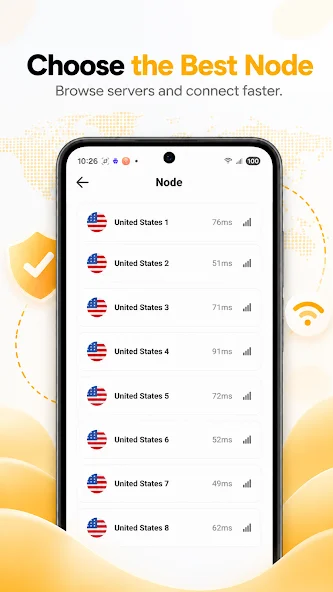
- Select an available VPN location where supported.
- See whether the app is connecting, connected, disconnected or waiting for permission.
- View connection duration, selected location and traffic activity.
- Run automatic connection checks after a VPN connection is established.
Check your VPN status on public Wi-Fi
The first time you connect, Android asks for VPN permission. If you deny it, the app stays disconnected and cannot establish the tunnel. You can manage the permission later through Android system controls. Explore the Tools category for more choices.
- Check that the app shows a connected state before browsing on an unfamiliar network.
- Choose a location from the available options if you want to change the current selection.
- Review the connection details to see its duration and traffic activity.
- Check the status after changing networks, as the app may reconnect or refresh the selected location.
A VPN does not make you completely anonymous or protect against every online threat. Continue using HTTPS and review the app’s Privacy Policy, including its disclosures about technical information, advertising and analytics. Explore more Android apps on APKSprint.
Download and install Aevoria VPN APK
- Open the Aevoria VPN page on our site, scroll to its download section and select the APK download button to open the site’s download page.
- Wait for the download link to be prepared, then select the download button that appears.
- If Android requests installation permission, allow the app opening the file to install apps from that source.
- Open your phone’s Downloads folder and select the Aevoria VPN APK file you downloaded.
- Follow the installation prompts on your phone until installation finishes.
- Open Aevoria VPN and complete its initial setup to begin using it.
Frequently Asked Questions
-
How do I install APK and XAPK files?
For setup instructions and help with common installation issues, see our APK and XAPK installation FAQ.How can I update the game or app and keep my data?
Android can install an update over the existing app if the package name and signing certificate match. Back up your data before updating when the app supports backups.












Comments
No comments yet. Be the first to comment!